
Live interview protection

Cheating protection for the interviews your team runs on Zoom, Teams and Meet

Keep your interviewers and your meeting link. Before the call, the candidate opens the Simplehire Proctor desktop app, and the meeting link appears only once the check passes. If an AI interview copilot, a remote-control tool or an extra screen shows up during the call, your interviewer sees an alert right away.

$10 a month per recruiter, for up to 100 interviews a month each, on its own or with Simplehire.ai AI screening. No bot joins your call.

Simplehire Proctor iconSimplehire Proctor

  • Desktop app connected
  • Pre-interview check passed

High concernSecond display connected24:02 · for your review

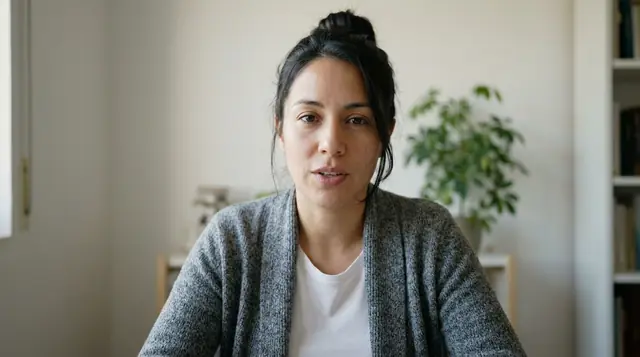
Illustration. The candidate is fictional and the photo is AI‑generated. Nothing joins or records your call.
  • Zoom, Teams and MeetKeep the meeting link you already use.
  • No bot in your callNothing joins or records the meeting.
  • AI copilots blockedThe meeting link appears only once the desktop check passes.
  • Live alertsYour interviewer sees them, with a timestamp, while the interview runs.

How it works: three steps, and your meeting stays the same

Your interviewer joins the call as usual and installs nothing. The candidate does one check first.

  1. Add the interview

    In the role's Live interviews tab, choose Your own meeting (no bot), paste your Zoom, Teams or Meet link and add the candidate. Or copy Simplehire.ai on the calendar invite and it is set up for you.

    Recruiter
  2. The candidate passes the check

    The candidate gets an email, agrees to the check and opens the Simplehire Proctor desktop app on a Windows or Mac computer. The meeting link appears once the check passes.

    Candidate · before the call
  3. Interview as usual

    Your interviewer runs the call in your own meeting and sees alerts as they happen. An integrity report is ready when the interview ends.

    Interviewer

What the desktop check looks for, before and during your call

The same Simplehire Proctor desktop app that protects Simplehire.ai AI interviews, for Windows and Mac, running next to your meeting.

AI interview copilots blocked by name

  • Cluely
  • Interview Coder
  • Final Round AI
  • LockedIn AI
  • ParakeetAI
  • Verve AI
  • Sensei AI
  • Beyz AI
  • LeetCode Wizard
  • Interview Solver
  • Ultracode
  • InterviewHammer
  • Interview Sidekick

Other copilots are blocked too: apps that hide from screen sharing can't run during the interview, even when renamed. Blocked list as of November 2026.

  • Before the call

    The meeting link appears only once the check passes. It looks for AI interview copilots, remote-control tools, virtual machines, virtual cameras, auto-typing tools and extra screens.

    Pre-interview check
  • During the call

    The desktop check keeps running for the whole interview. Your interviewer sees the candidate's status and any alert as it happens, without leaving the meeting.

    Live alerts
  • After the call

    An integrity report is ready when the interview ends, with every alert and its timestamp, for your team to review.

    Integrity report
  • What it never touches

    Nothing joins or records your meeting. The app reads system facts such as running applications and connected displays, not screen content, keystrokes, files or URLs.

    Your meeting stays yours

Simplehire.ai AI screening interviews add a locked browser, an ID check and a phone side camera.

All of Simplehire.ai's cheating protection

For teams that interview candidates themselves

Use it for any interview a person on your side runs, from the first technical round to the final.

  • IT staffing firms

    Every candidate you put in front of a client carries your firm's name. Run the check before the client's interview and before your own technical rounds.

  • In-house tech teams

    Technical and final rounds your engineers run on Zoom, Teams or Meet, with no change to how they interview.

  • Teams that want people asking the questions

    Keep a human interviewer in every round and add only the protection. No AI interviewer is involved.

One price: $10 a month per recruiter

Buy it on its own, or add it to Simplehire.ai AI screening.

Live interview protection

$10a month per recruiter

Up to 100 interviews a month for each recruiter

For interviews your team runs on Zoom, Teams or Meet. On its own or with AI screening.

More than 100 interviews a month for one recruiter? Talk to sales.

  • Works with Zoom, Microsoft Teams and Google Meet: keep your meeting link
  • Desktop check before the call: the meeting link appears once it passes
  • Live alerts for your interviewer while the interview runs
  • An integrity report when the interview ends
  • No bot joins your call and nothing records it

Using AI screening for the first round too? Screening interviews are priced per screen, from $2, and live interview protection stays $10 a month per recruiter. Screening pricing

Questions? Call (408) 610-2142.

Questions about live interview protection

Looking for AI screening interviews instead? See how Simplehire.ai screens candidates.

Does Simplehire.ai join or record our Zoom, Teams or Meet call?

No. Nothing joins your meeting and the call is not recorded. The protection runs on the candidate's computer, in the Simplehire Proctor desktop app, next to your meeting.

Which meeting tools does it work with?

Zoom, Microsoft Teams and Google Meet. You keep the meeting link you already use, and your interviewer joins the call as usual.

What does the candidate need?

A Windows or Mac computer and the Simplehire Proctor desktop app. The candidate gets an email from Simplehire.ai, agrees to the check, opens the app, and the meeting link appears once the check passes. A personal computer works best, because locked-down work laptops often block installs.

Does our interviewer need to install anything?

No. Your interviewer joins your meeting as usual and sees the candidate's status and any alerts in Simplehire.ai while the interview runs.

How do we set up an interview?

Open the role in Simplehire.ai, go to the Live interviews tab, choose Your own meeting (no bot), paste the meeting link and add the candidate. You can also copy Simplehire.ai on the calendar invite and the interview is set up for you; if you move or cancel the meeting, Simplehire.ai follows.

What does the desktop app look at on the candidate's computer?

System facts such as running applications and connected displays. It does not capture screen content, keystrokes, files or URLs.

How much does live interview protection cost?

$10 a month for each recruiter, and each recruiter's plan covers up to 100 interviews a month. If one recruiter needs more than 100 interviews a month, talk to sales.

Can we buy it without AI screening?

Yes. Live interview protection is $10 a month per recruiter on its own. If you also use Simplehire.ai AI screening interviews, those are priced per screen, from $2, and live interview protection stays $10 a month per recruiter.

Protect the interviews your team already runs

Keep your interviewers and your meeting link. Add the desktop check for $10 a month per recruiter, up to 100 interviews a month each.